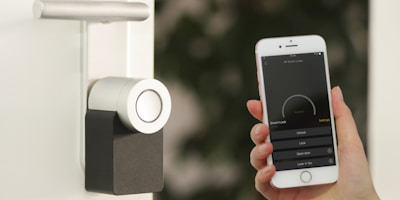
Home security for seniors is about more than preventing break-ins. It includes fall detection, medical emergency response, medication reminders, and giving family members peace of mind that their loved one is safe. The best systems for older adults combine traditional security features with health monitoring in a package that is simple enough to use without technical expertise.
We evaluated home security systems specifically for senior-friendliness, testing ease of setup, interface simplicity, medical alert capabilities, and how well each system supports remote monitoring by family members. Here are the best options for older adults and the families who care about them.
What Seniors Need From a Security System
The priorities for a senior-focused security system are different from what a typical homeowner looks for. Simplicity is paramount — a system that requires navigating complex app menus or remembering multiple codes will not get used consistently. Large buttons, clear labels, and voice control are essential features, not nice-to-haves.
Medical alert capability is often the most important feature. Falls are the leading cause of injury-related death for adults over 65, and the speed of emergency response directly affects outcomes. A security system that includes a wearable panic button or automatic fall detection can be literally lifesaving.
Family monitoring matters too. Adult children who live in another city want to know that their parent arrived home safely, that the front door was locked at night, and that normal activity patterns are continuing. Several security systems now offer family-facing features that provide this information without requiring the senior to do anything beyond living their normal routine.
Medical Guardian + Home Security: Best Medical Alert Integration
Medical Guardian specializes in personal emergency response systems and has expanded into home security with products that combine both functions. Their Medical Guardian Home system includes a base station with a built-in speakerphone, wearable help button, door and window sensors, a motion sensor, and optional fall detection. Pressing the help button connects directly to a 24/7 monitoring center staffed with trained operators who can dispatch EMS, fire, or police.
What makes Medical Guardian stand out for seniors is the wearable design. The help button can be worn as a pendant, wristband, or belt clip. It is waterproof, so it works in the shower — which is where many falls occur. The automatic fall detection option uses accelerometer technology to detect sudden impacts and alerts the monitoring center even if the wearer cannot press the button.
Plans start at $29.95 per month for basic monitoring with a help button. The home security add-on with door sensors and motion detection brings the total to around $44.95 per month. There are no long-term contracts — you can cancel any month. Equipment costs $100 to $200 depending on the package.
SimpliSafe: Best Traditional Security for Seniors
SimpliSafe is our top recommendation for seniors who want a straightforward home security system without the medical alert features. The keypad has a large, backlit screen with clear icons. The system can be armed and disarmed with a simple four-digit code, a key fob remote (one button to arm, one to disarm), or the app if a family member handles it remotely.
The key fob is particularly valuable for seniors. It clips to a keychain or sits on a nightstand, and it removes the need to walk to the keypad or open an app. One press arms the system, another press disarms it. There is also a panic button on the key fob that immediately alerts the monitoring center.
SimpliSafe's monitoring center can contact a list of emergency contacts — including adult children — when an alarm triggers. This means that if a door sensor trips in the middle of the night, both the police and your designated family members get notified. Monitoring costs $19.99 per month with no contract.
ADT: Best Professional Installation for Seniors
ADT's biggest advantage for seniors is that they handle everything. A technician comes to the home, installs all equipment, tests every sensor, programs the system, and walks the homeowner through how to use it. For an older adult who is not comfortable with DIY setup, this hands-off experience is worth the premium price.
ADT also offers their Medical Alert system, a wearable pendant with GPS tracking that works both inside and outside the home. If the wearer presses the button or the device detects a fall, ADT's monitoring center responds and dispatches help. The GPS capability is important for seniors who are active outside the home — it works at the grocery store, on walks, or in the car, not just inside the house.
ADT's monitoring starts at $28.99 per month on a 36-month contract. The medical alert add-on costs an additional $10 to $15 per month. Professional installation runs $99 to $199. Equipment costs depend on the package but typically range from $250 to $600 for a senior-appropriate setup. It is the most expensive option, but the professional installation and monitoring infrastructure are the best in the industry.
Bay Alarm Medical: Best Standalone Medical Alert
If a full home security system is overkill and the primary concern is medical emergencies, Bay Alarm Medical is the best dedicated medical alert service. Their In-Home system ($24.95/month) includes a base station with a speakerphone and a wearable help button with a 1,000-foot range. Their On-the-Go system ($34.95/month) is a cellular GPS pendant that works anywhere.
Bay Alarm Medical's monitoring center operates from the US with an average response time of under 25 seconds. They maintain a detailed profile for each user including medical conditions, medications, emergency contacts, and doctor information. When someone presses the help button, the operator already has the context needed to dispatch appropriate help.
The simplicity of Bay Alarm Medical is its strength for seniors. There is one button. Press it and help comes. No arming or disarming, no codes, no app. It is pure medical emergency response with no complexity. For seniors living alone who are primarily concerned about falls and medical emergencies, this focused approach is often better than a multi-feature system they may find confusing.
Smart Home Features That Help Seniors
Beyond alarms and medical alerts, several smart home features improve daily life and safety for older adults. Smart lighting eliminates the need to walk through dark rooms — motion-activated lights in hallways and bathrooms reduce fall risk at night. Smart thermostats maintain consistent temperatures without needing to adjust a physical thermostat. Video doorbells let seniors see who is at the door without getting up, which prevents both falls and door-to-door scams.
Voice assistants like Amazon Echo and Google Nest Hub can serve as hands-free emergency tools. Saying "Alexa, call for help" or "Hey Google, call 911" works even if the person cannot reach a phone or press a button. Some security systems integrate directly with voice assistants, allowing seniors to arm and disarm the system, check the status of sensors, and trigger alerts entirely by voice.
Activity monitoring is an emerging category that uses motion sensors to track daily patterns without requiring any wearable device. Systems like CarePredict and Amazon Halo Rise learn the normal activity rhythm of the home — when the person typically wakes up, moves between rooms, and goes to bed. If the pattern changes significantly (for example, no movement detected by late morning), the system alerts a family member. This passive monitoring provides peace of mind without requiring the senior to wear or interact with any device.
What Family Members Should Know
If you are setting up a security system for an aging parent, involve them in the decision. A system imposed without input is a system that will not be used. Let them choose the features they are comfortable with and respect their autonomy — the goal is safety, not surveillance.
Most security systems allow you to add family members as authorized users or emergency contacts. Set yourself up as a contact in the monitoring center so you are notified when the alarm triggers. If the system has an app, install it on your phone so you can check sensor status remotely. Many older adults find comfort in knowing that their family member can see that the system is armed and everything is normal.
Test the system regularly. Visit or call your parent once a month and ask them to press the panic button, arm and disarm the system, and check that all sensors show as online. This keeps the system familiar and ensures everything is working. A medical alert pendant that sits in a drawer because the person forgot how to use it provides zero protection. Regular practice prevents that.
Finally, label everything clearly. Put a sticky note on the keypad with the arm and disarm code. Label the key fob buttons. Write the monitoring center's phone number on a card taped to the refrigerator. Simple, low-tech reinforcements make high-tech systems accessible to everyone.